

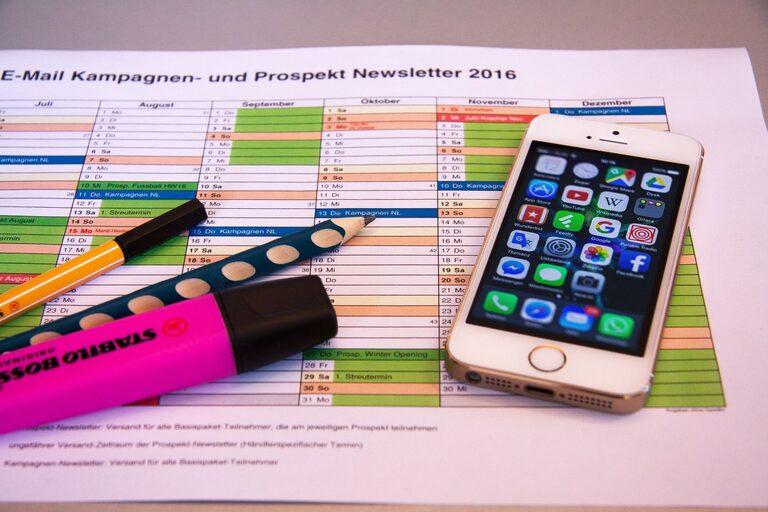
In today’s connected world, our digital devices often become cluttered with files, apps, emails, and notifications. This digital chaos can make it harder to focus, reduce productivity, and even create unnecessary stress. Just as we tidy our physical spaces, it’s important to regularly declutter our digital lives. In this post, we’ll explore effective strategies to help you regain control over your digital environment, streamline your online activities, and create a more peaceful, organized digital space.
Why Declutter Your Digital Life?
Before diving into the how, it’s helpful to understand why decluttering your digital life matters:
– Improves focus: Reducing digital distractions helps you concentrate on what truly matters.
– Enhances productivity: A clean digital workspace saves time and minimizes frustration.
– Saves storage space: Removing unnecessary files and apps frees up memory on your devices.
– Reduces stress: A more organized digital environment promotes a sense of calm.
Step 1: Tackle Your Email Inbox
One of the biggest sources of digital clutter is email. Here’s how to manage it:
Unsubscribe Ruthlessly
Start by unsubscribing from newsletters, promotions, and notifications you no longer read. Most emails have an unsubscribe link at the bottom — take a moment to click it.
Create Folders and Labels
Organize emails into categorized folders or labels like Work, Personal, Bills, or Receipts. This helps you find emails quickly and keeps your inbox tidy.
Use Filters and Rules
Set up filters to automatically sort incoming messages into appropriate folders. For example, emails from your bank can go directly into your Bills folder.
Archive or Delete Old Emails
Archive emails you want to keep but don’t need immediate access to. Delete the rest to reduce clutter. Aim to keep your inbox as close to zero as possible.
Step 2: Organize Your Files and Folders
Digital clutter often hides in disorganized files and folders on your computer or cloud storage.
Declutter Your Desktop
A cluttered desktop slows you down and can increase stress. Move files from your desktop into properly named folders.
Create Clear Folder Structures
Develop a logical folder hierarchy. For example, a main folder called “Work” with subfolders by project or year.
Delete or Archive Old Files
Delete files you no longer need and archive older ones to an external drive or cloud archive. Regularly review your files to keep things neat.
Name Files Consistently
Use clear and consistent file names with dates and descriptions. This makes it easier to search for documents later.
Step 3: Manage Your Apps and Software
Too many apps can clutter your phone and computer and make it harder to find what you need.
Uninstall Unused Apps
Review the apps installed on your devices and delete those you rarely or never use.
Organize Your Apps
Group apps into folders by category like Social, Productivity, or Entertainment. This tidies up your home screen and streamlines access.
Update Regularly
Keep apps updated to improve performance and security.
Step 4: Streamline Your Social Media and Notifications
Social media and notifications can be major distractions if left unchecked.
Audit Your Accounts
Review all social media accounts you use and consider deactivating or deleting ones that no longer add value.
Adjust Notification Settings
Turn off non-essential notifications on your phone and computer. Only allow alerts that require immediate attention.
Set Specific Usage Times
Limit social media use to certain times during the day. Avoid constant checking to reduce digital overwhelm.
Step 5: Backup Important Data
Having organized data is only part of the solution — backing it up is essential.
Use Cloud Storage
Services like Google Drive, Dropbox, or iCloud keep your files safe and accessible from any device.
External Backup Drives
Consider backing up important data on external hard drives for added security.
Regular Backup Schedule
Set a reminder to back up your data weekly or monthly to avoid losing important files.
Step 6: Maintain Your Decluttered Digital Life
Decluttering is not a one-time task but an ongoing habit.
Schedule Regular Cleanups
Set aside time monthly or quarterly to audit and clean your digital space.
Develop Good Digital Habits
– Delete emails and files promptly.
– Keep your desktop and folders organized.
– Regularly review apps and notifications.
Use Digital Tools
Consider apps that help with organization, like email clients with built-in filters or file management tools.
Final Thoughts
Decluttering your digital life takes intention but can have a big impact on your well-being and efficiency. By following these steps, you can create a clean, organized, and distraction-free digital space that supports your goals and gives you peace of mind. Remember, the key is consistency — little efforts over time lead to big results.
Ready to start? Pick one area today, like your inbox or desktop, and take the first step toward a simpler digital life!